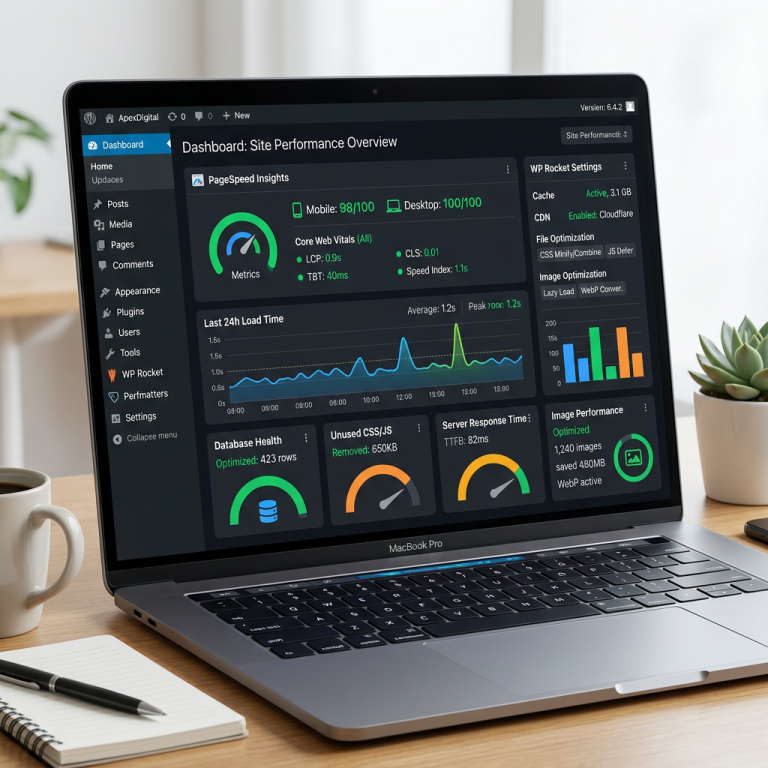
WordPress Core Web Vitals: A Practical 2026 Fix Guide
WordPress Core Web Vitals: A Practical 2026 Fix Guide
If your WordPress Core Web Vitals scores are failing in Google Search Console, the short version is this: you need to fix your Largest Contentful Paint (LCP), Interaction to Next Paint (INP), and Cumulative Layout Shift (CLS) — in that order, starting with whichever one is red. Most small-business WordPress sites fail because of a heavy theme, an unoptimized hero image, or too many plugins fighting for the same JavaScript thread. None of that requires a rebuild. It requires a checklist, which is what this post is.
What Are Core Web Vitals, and Why Should a Small Business Care?
Core Web Vitals are the three metrics Google uses to judge how a page feels to a real visitor: how fast the main content shows up, how quickly the page responds when someone taps or clicks, and whether things jump around while loading. They’re part of Google’s page experience signals, which means they can influence rankings — though content relevance and links still carry far more weight. The bigger reason to care isn’t the ranking boost; it’s that a slow, jumpy site loses visitors before they ever read your offer, especially on mobile.
WordPress doesn’t report these scores anywhere in the dashboard, so most business owners find out they have a problem only after a developer, an SEO audit, or Google Search Console’s Core Web Vitals report flags it.
The Three Metrics You Actually Need to Pass
LCP — Largest Contentful Paint
LCP measures how long it takes the biggest visible element — usually a hero image, banner, or headline block — to fully render. Google’s target is under 2.5 seconds. On WordPress, LCP is almost always the metric that fails first, and it’s usually caused by an uncompressed hero image, slow server response time (TTFB), or render-blocking CSS/JS loading before the page content does.
INP — Interaction to Next Paint
INP replaced First Input Delay as the official responsiveness metric. It measures the delay between a visitor’s click, tap, or keypress and the moment the page visibly responds. The target is under 200 milliseconds. On WordPress, INP problems almost always trace back to too much JavaScript running at once — page builders, chat widgets, tracking scripts, and slider plugins are the usual suspects.
CLS — Cumulative Layout Shift
CLS measures visual stability: how much content jumps around as the page finishes loading. A good score is under 0.1. The most common cause on WordPress is images or embeds without a defined width and height, ads or cookie banners that inject themselves after the layout has already settled, or web fonts that swap in and reflow the text.
How to Check Your WordPress Core Web Vitals Score
WordPress itself won’t tell you any of this, so you’ll need outside tools:
- Google Search Console — the Core Web Vitals report shows which URLs pass or fail sitewide, using real visitor data (field data), not a lab test.
- PageSpeed Insights — tests a single URL and shows both lab and field data, plus a specific list of what’s slowing that page down.
- Chrome DevTools (Lighthouse tab) — useful for developers who want to see exactly which resource is blocking render.
Field data (from real visitors) is what actually affects rankings, so treat Search Console as the source of truth and PageSpeed Insights as your diagnostic tool.
Fixing WordPress Core Web Vitals: Where to Start
Work through these in order. Fixing LCP before INP, and INP before CLS, keeps you from wasting time chasing a small layout shift while your hero image is still taking six seconds to load.
1. Fix LCP first
- Compress and resize your hero image before uploading — a plugin like ShortPixel or Imagify helps, but starting with a properly sized file matters more than any plugin.
- Serve images in a modern format (WebP or AVIF) and set your hero image to preload rather than lazy-load.
- Install a caching plugin (WP Rocket and LiteSpeed Cache are both solid) so WordPress serves static HTML instead of rebuilding the page from PHP on every visit.
- If your hosting is slow shared hosting, this is usually the ceiling on how fast LCP can get — managed WordPress hosting with server-level caching fixes this at the root.
2. Then tackle INP
- Audit your plugins and remove anything you don’t actually use — every active plugin is potential JavaScript on every page.
- Defer or delay non-critical scripts (chat widgets, marketing pixels, analytics) so they load after the main content is interactive.
- Reconsider a page builder that ships heavy JavaScript for every element if you’re not using most of its features. A lightweight block theme is often faster than a full page-builder framework.
3. Finish with CLS
- Set explicit width and height attributes on every image and embedded video.
- Reserve space for ads, cookie banners, and dynamic content blocks before they load, so nothing pushes text down after the fact.
- Use
font-display: swapcarefully, or self-host fonts, so text doesn’t reflow when web fonts finish loading.
Common WordPress Core Web Vitals Mistakes Small Businesses Make
The biggest mistake is treating this as a one-time fix. Adding a new plugin, a new hero video, or a new chat widget six months from now can undo the work. The second mistake is optimizing only the homepage — Google evaluates Core Web Vitals across your site’s actual traffic, so a slow contact page or service page can drag down your overall standing even if the homepage looks great. The third is installing five different “speed” plugins at once, which often conflict and make things worse instead of better.
When to Get Help
If you’ve compressed your images, activated a caching plugin, and your LCP is still red, the bottleneck is usually your theme, your hosting, or a plugin conflict that needs a developer’s eye to diagnose. That’s normal — Core Web Vitals troubleshooting on a live site with real traffic is genuinely technical work, not a five-minute settings change.
Cloudvision handles WordPress website speed optimization for small business sites, focused specifically on getting LCP, INP, and CLS into the green without breaking your design. If you’d rather understand the fundamentals first, our guides on how to speed up a WordPress site and our WordPress speed optimization service walk through the same priorities in more depth.
Frequently Asked Questions
What are good Core Web Vitals scores in 2026?
LCP under 2.5 seconds, INP under 200 milliseconds, and CLS under 0.1, measured across at least 75% of your page’s real visitor traffic.
Do Core Web Vitals actually affect Google rankings?
Yes, but as one signal among many. Google has confirmed they’re part of the page experience ranking factors, though strong content and relevance still matter far more than a perfect score.
What’s the fastest way to improve WordPress Core Web Vitals?
Start with LCP: compress your hero image, add a caching plugin, and check whether your hosting is the bottleneck. That single combination fixes the majority of failing WordPress sites.
Which WordPress theme is best for Core Web Vitals?
Lightweight block themes with minimal built-in JavaScript perform best. A heavy multipurpose or page-builder-dependent theme can add hundreds of kilobytes of unnecessary script to every page load.
How do I check my Core Web Vitals score for free?
Use Google Search Console’s Core Web Vitals report for sitewide, real-visitor data, and PageSpeed Insights to test and diagnose individual pages.
See what a professional WordPress website from Cloudvision delivers in 2026. Free consult — book online or call 732-444-7799.