Small Business Website SEO Basics: Where to Start in 2026
Small Business Website SEO Basics: Where to Start in 2026
If you’re trying to figure out small business website SEO basics, here’s the short version: SEO is the process of making your site easy for both Google and real customers to find, understand, and trust. You don’t need a marketing degree or a huge budget to get the fundamentals right — you need a handful of on-page fixes, a realistic content plan, and patience while the results compound. This guide walks through exactly where to start.
What SEO Actually Means for a Small Business Website
Search engine optimization is often talked about like it’s a technical mystery, but at its core it’s simple: search engines try to match a person’s query with the page that best answers it. Your job is to make it obvious what your business does, who it serves, and why your page deserves to rank. Everything else — keywords, page titles, backlinks, site speed — exists to support that one goal.
For a small business, that usually breaks down into three buckets: on-page SEO (the words and structure on your own pages), technical SEO (how easily search engines can crawl and load your site), and off-page SEO (signals from elsewhere, like reviews and links, that build trust). Master the first two before worrying too much about the third.
Start With Keywords You Can Actually Rank For
Before you touch a single page, get clear on the phrases real customers type into Google. Skip broad, high-competition terms like “web design” — a new or small site has almost no chance of outranking national brands for those. Instead, look for specific, intent-driven phrases: what you do, plus who it’s for or where you’re located. “Bookkeeping for restaurants,” “custom cabinet maker near me,” or “affordable wedding photographer” are the kind of terms a small site can realistically win.
Free tools like Google Search Console, Google’s Keyword Planner, or even Google’s autocomplete and “People also ask” boxes are enough to get started. You’re looking for phrases with real search volume but manageable competition — not the biggest number, the right number.
On-Page SEO Basics Every Page Needs
Once you have a keyword for a page, on-page SEO is about placing it where search engines — and skimming readers — expect to see it:
- Title tag: Include the target keyword near the front, keep it under roughly 60 characters, and make it something a person would actually click.
- Meta description: A 150-character summary with the keyword and a reason to click. It won’t directly boost rankings, but it drives click-through rate, which does matter.
- One H1 per page: Your main heading should state clearly what the page is about, ideally including the keyword.
- Descriptive URLs: A clean, hyphenated slug (like
/small-business-website-seo-basics/) beats a string of numbers and parameters every time. - Image alt text: Describe what’s in the image for accessibility, and it happens to help image search too.
- Internal links: Link related pages to each other. It helps visitors navigate and helps search engines understand how your site is organized.
None of this requires stuffing the keyword everywhere. Write for the person reading it first; a natural mention in the title, opening paragraph, and one subheading is plenty.
Technical Basics: Speed, Mobile, and Crawlability
You can write the best copy in the world and still lose if the page takes eight seconds to load or breaks on a phone. Google has confirmed that page experience signals, including Core Web Vitals, factor into ranking, and more importantly, slow sites simply lose visitors before they convert.
The technical checklist for most small business sites is short: make sure the site loads quickly on mobile data (not just office wifi), confirm it’s fully responsive, submit an XML sitemap through Google Search Console, and fix any broken links or 404s. If you’re on WordPress, a lightweight theme, an image optimization plugin, and decent hosting solve the majority of speed problems without touching code.
Content Is the Long-Term Engine
Keywords and technical fixes get a page ready to rank; content is what actually earns the ranking over time. Every page should answer a real question a potential customer has, in enough depth that they don’t need to go elsewhere. That might be a services page that explains your process, or blog posts that answer the questions customers ask you on the phone every week.
Two things matter more than word count: relevance and freshness. A focused 800-word page that fully answers the question usually beats a padded 2,000-word page that doesn’t. And revisiting old pages to update outdated info signals to Google that your site is actively maintained.
Don’t Skip Local Signals, Even If You’re Not “Local SEO”-Focused
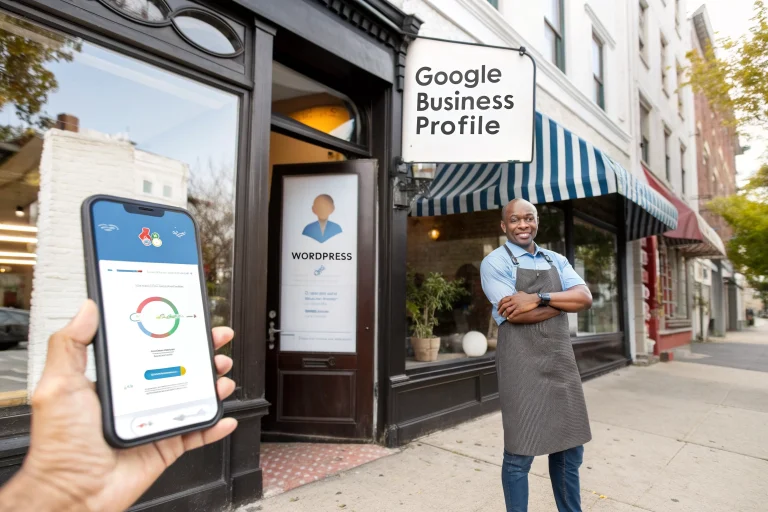
Most small businesses serve a physical area, which means local signals should be part of your basics, not an afterthought. A complete, accurate Google Business Profile and consistent name, address, and phone number across the web both feed directly into how Google decides who shows up in local results. If you haven’t already, read our guide on how to get your small business found on Google for a deeper walkthrough, and see our post on local citations for small business SEO for how directory listings tie in.
How Long Small Business Website SEO Basics Take to Pay Off
SEO is not a light switch. Most small businesses start seeing early movement — more impressions, a handful of new keywords ranking — around the three-to-four-month mark, with more meaningful traffic and lead gains showing up between six and twelve months of consistent work. That timeline holds whether you do it yourself or hire it out, because Google needs time to recrawl, reindex, and build confidence in a site. The businesses that win aren’t the ones who find a shortcut; they’re the ones who keep the basics in place long enough for them to compound.
A Simple 90-Day SEO Basics Checklist
- Weeks 1–2: Set up Google Search Console and Google Analytics, pick 5–10 target keywords, and audit your existing title tags and meta descriptions.
- Weeks 3–4: Fix on-page basics — title tags, headers, URLs, alt text — on your top 10 pages.
- Weeks 5–8: Claim or clean up your Google Business Profile and check NAP consistency across major directories.
- Weeks 9–12: Publish 2–4 pieces of content answering real customer questions, and check site speed and mobile usability along the way.
Frequently Asked Questions
Do I need to hire an SEO agency, or can I do this myself?
Most of the basics covered here — title tags, meta descriptions, Google Business Profile setup, basic content — are within reach for a business owner willing to spend a few hours a week. An agency or freelancer becomes worth it once you need technical fixes beyond your comfort zone or want to scale content faster than you can write it yourself.
How much does small business SEO typically cost?
Costs vary widely depending on your market and how much work is needed, from DIY (your time only) to ongoing agency retainers. Rather than quote a number that won’t fit every business, it’s worth getting a specific quote based on your site and goals.
What’s the single highest-impact SEO basic to fix first?
For most small businesses, it’s the Google Business Profile combined with accurate on-page titles and descriptions — both are free, fast to fix, and directly affect whether you show up when someone nearby searches for what you offer.
Does SEO still matter with AI search tools becoming more common?
Yes. AI-driven search results still pull from indexed, well-structured web content, so the same fundamentals — clear titles, real answers to real questions, fast and accessible pages — determine whether your business gets cited at all.
How often should I update my website for SEO?
There’s no fixed schedule, but revisiting your highest-traffic pages every 6–12 months to update outdated information, fix broken links, and add fresh detail is a reasonable baseline for most small business sites.
Get These Basics Right, Then Build on Them
Small business website SEO basics aren’t complicated — they’re just easy to neglect when you’re busy running the business. A weekend spent fixing title tags, claiming your Google Business Profile, and mapping out a short list of keywords will do more for your rankings than months of guessing. If your current site is holding you back from doing any of this well, our WordPress web design services page covers how we approach builds with SEO fundamentals baked in from day one.
See what a professional WordPress website from Cloudvision delivers in 2026. Free consult — book online or call 732-444-7799.